AVIF Pro Web — Professional Encoding Tool
After Effects Panel + Standalone Desktop App

Export modern web formats without leaving your creative workflow

AVIF Pro Web helps motion designers and animators turn After Effects compositions, videos, and image sequences into web-ready AVIF, GIF, WebM and WebP files with a batch queue, custom presets, alpha support, and built-in preview tools.

Single license
$39.99

One-time purchase

  • After Effects Extension Panel
  • Standalone app for macOS & Windows
  • AVIF, GIF, WebM and WebP export
  • Custom preset management
  • 30-file trial available
Buy on aescripts

Single-user perpetual license · Up to two computers, one at a time · View EULA

Two workflows

Two After Effects workflows in one compact panel

Use Single Mode when you need a quick export from the active composition. Switch to Queue Mode when the job grows: add multiple compositions, assign individual formats and presets, then render the full list from one clear interface.

Single Mode interface
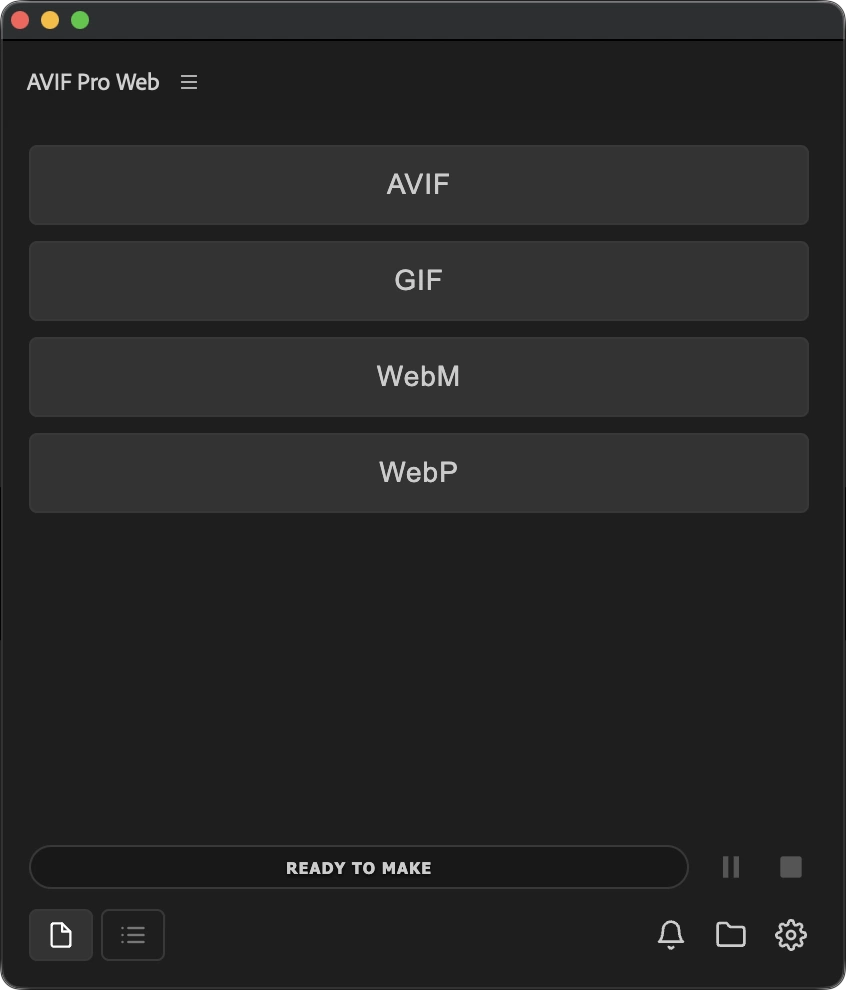
AVIF Pro Web Single Mode for quick After Effects exports

Single Mode

Choose a format, tune the preset, and export the active composition without rebuilding your workflow or leaving After Effects.

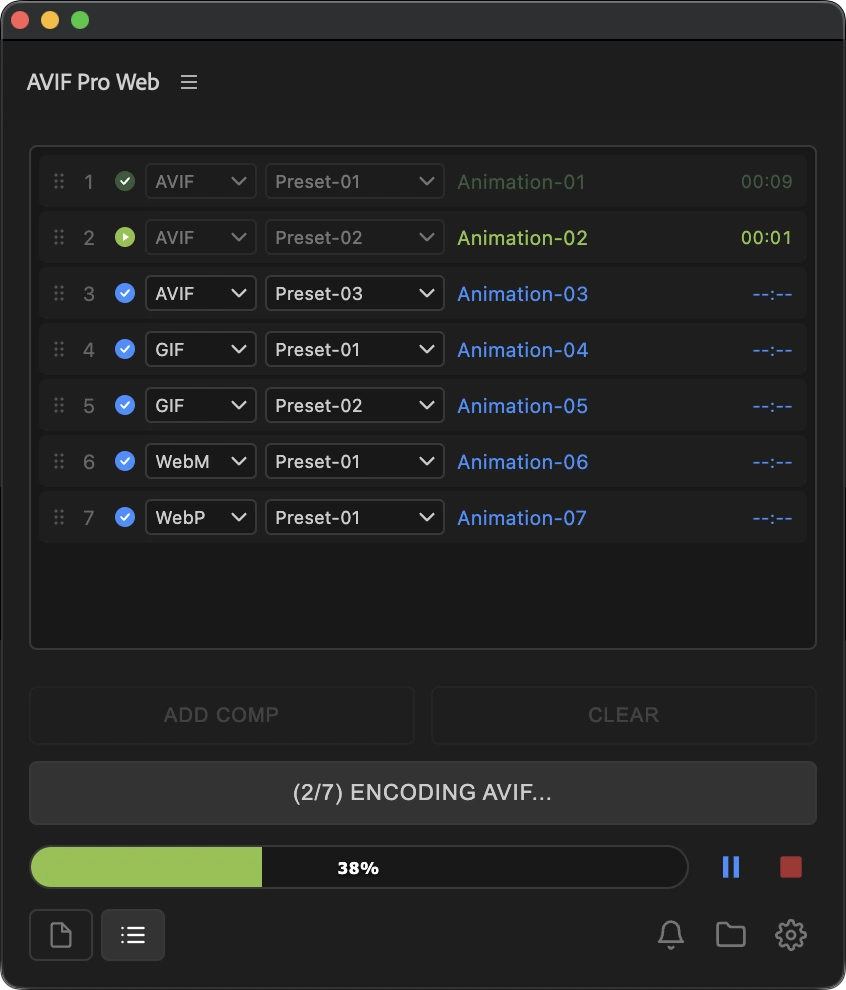
Queue Mode interface
AVIF Pro Web Queue Mode with multiple formats and presets

Queue Mode

Batch compositions with different output formats: AVIF, GIF, WebM and WebP, with custom presets per item.

Controls for each format

Modern web formats with controls tailored to each format

AVIF Pro Web keeps the important encoding settings close at hand: quality, compression, FPS, size, alpha, pixel format, color space, audio, loop behavior, palette, and dithering where each format needs it.
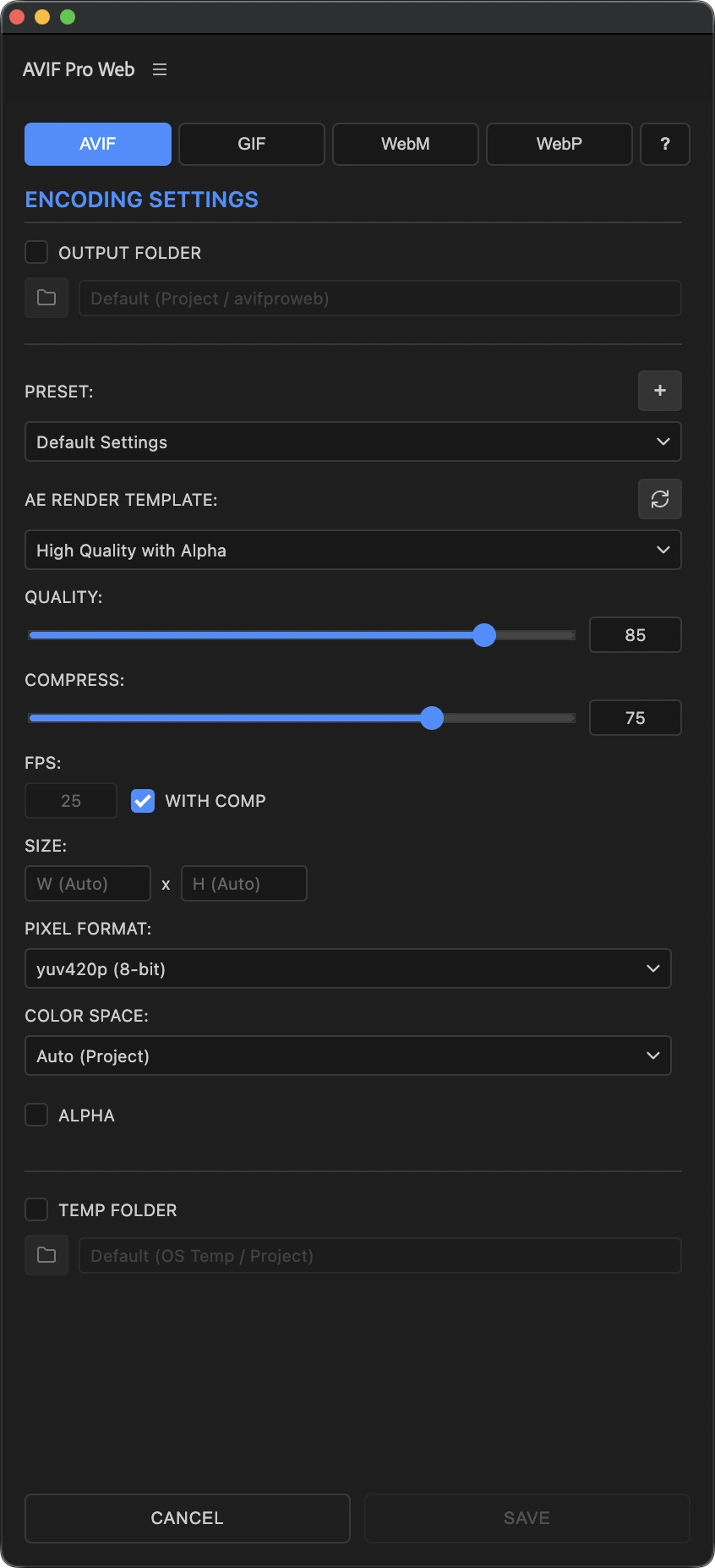
AVIF settings
AVIF settings with quality, compression, pixel format, color space, and alpha options

AVIF

AVIF output with alpha, 8-bit and 10-bit pixel formats, plus SDR/HDR color space options.
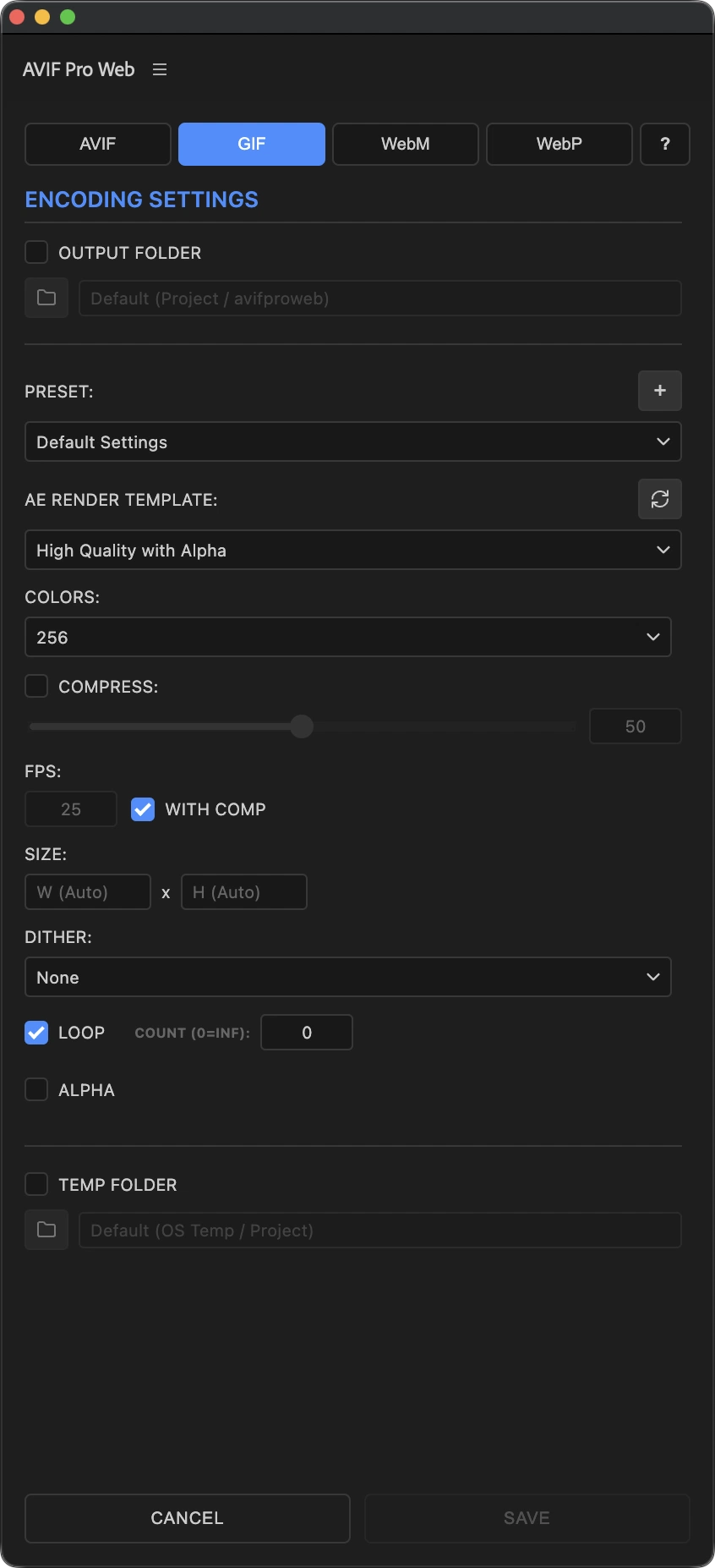
GIF settings
GIF settings with palette, dithering, loop, and optimization controls

GIF

Palette, dithering, loop controls, and optional Gifsicle optimization for smaller animated files.
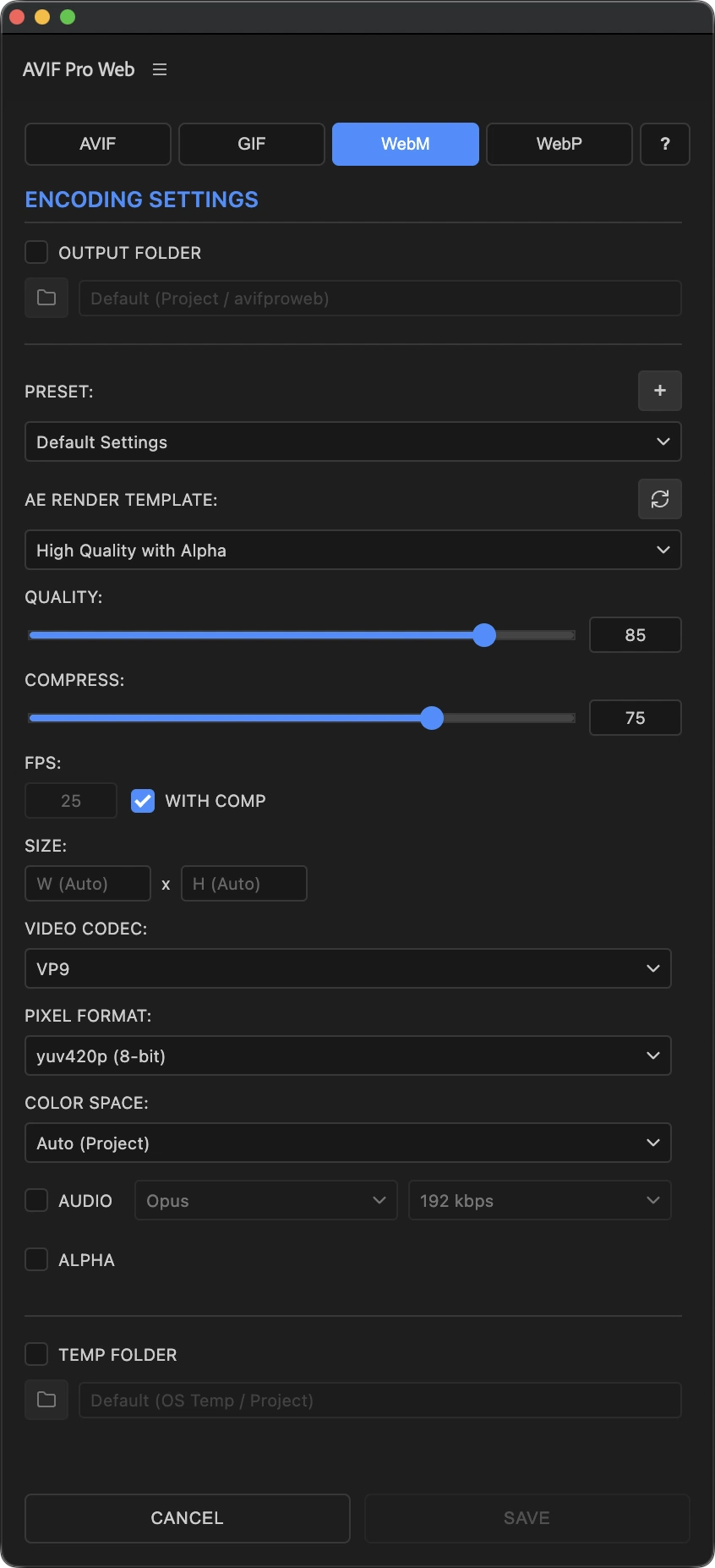
WebM settings
WebM settings with VP9, AV1, audio, bitrate, and alpha options

WebM

VP9 or AV1, optional Opus/Vorbis audio, selectable bitrates, and VP9 alpha support.
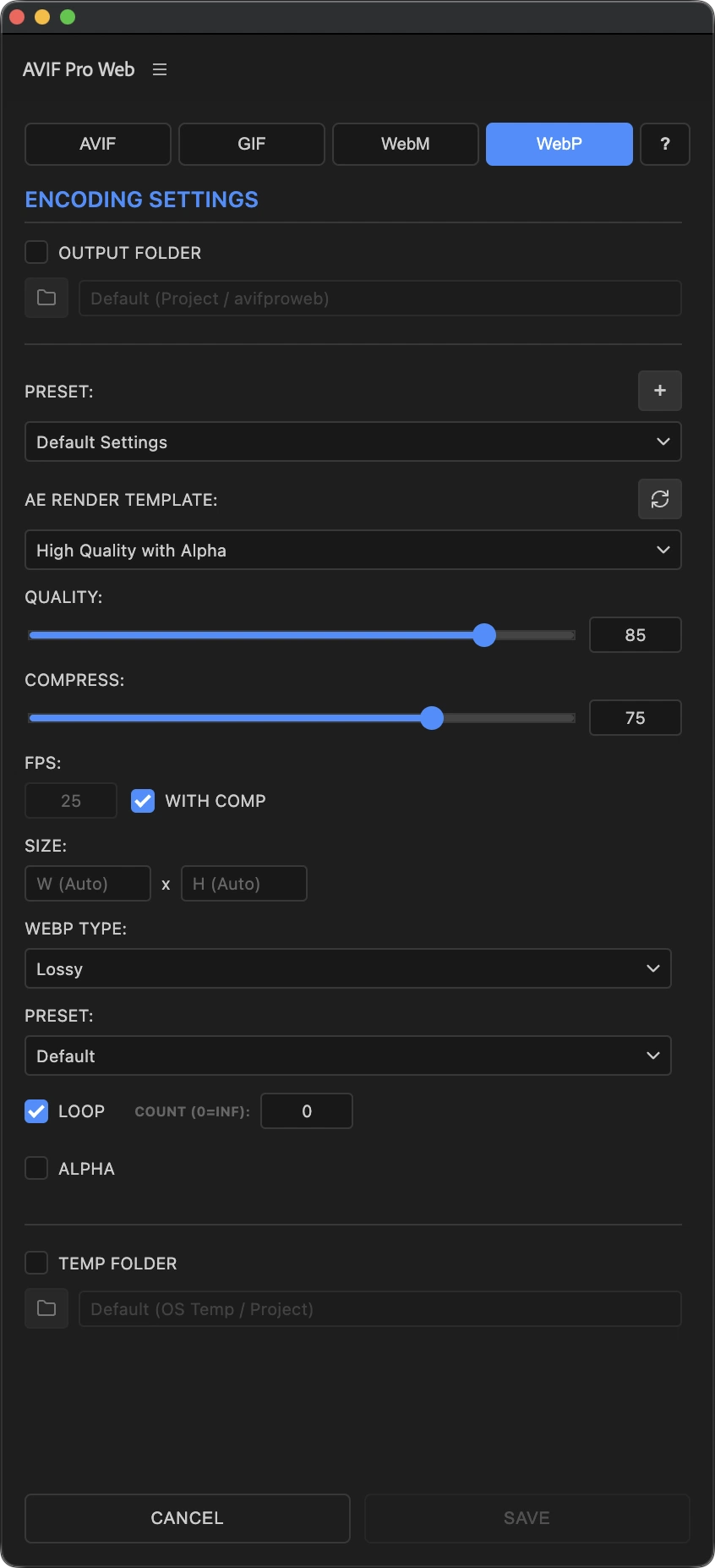
WebP settings
WebP settings with lossy, lossless, preset, and loop controls

WebP

Lossy or lossless animated WebP with presets and loop controls for lightweight web animation.

Desktop app

The same export engine, even when After Effects is closed

The standalone desktop app is built for existing media on macOS and Windows: drag in videos, folders, or numbered image sequences, build a render queue, apply settings to selected items, and convert everything into web-ready files.
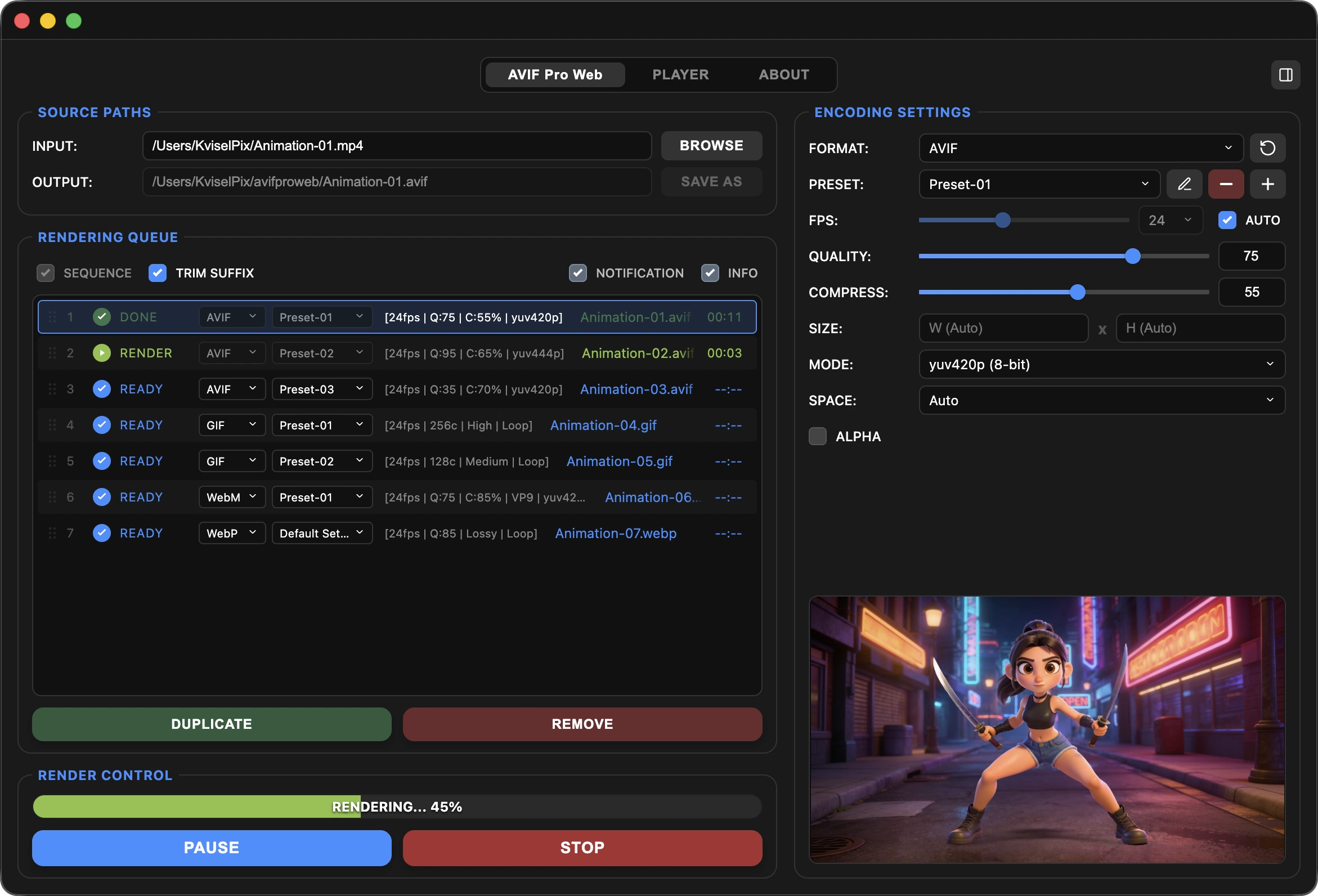
Standalone desktop app interface
AVIF Pro Web standalone app with source paths, render queue, encoding settings, and preview

Drag, drop, and batch

Add media files or whole folders, automatically group image sequences, then render an organized production queue.

Smart output paths

Save to the default avifproweb folder, choose a custom destination, and trim sequence suffixes for cleaner final filenames.

Controlled rendering

Pause, resume, or stop long batches cleanly, with progress feedback that stays readable during production work.

Built-in player

Preview transparency, loops, and sequences before delivery

The built-in player lets you inspect videos, exported web formats, and image sequences without switching tools. Check alpha on a transparency grid, review looping motion, switch fit/fill viewing, and move through a playlist of outputs quickly.
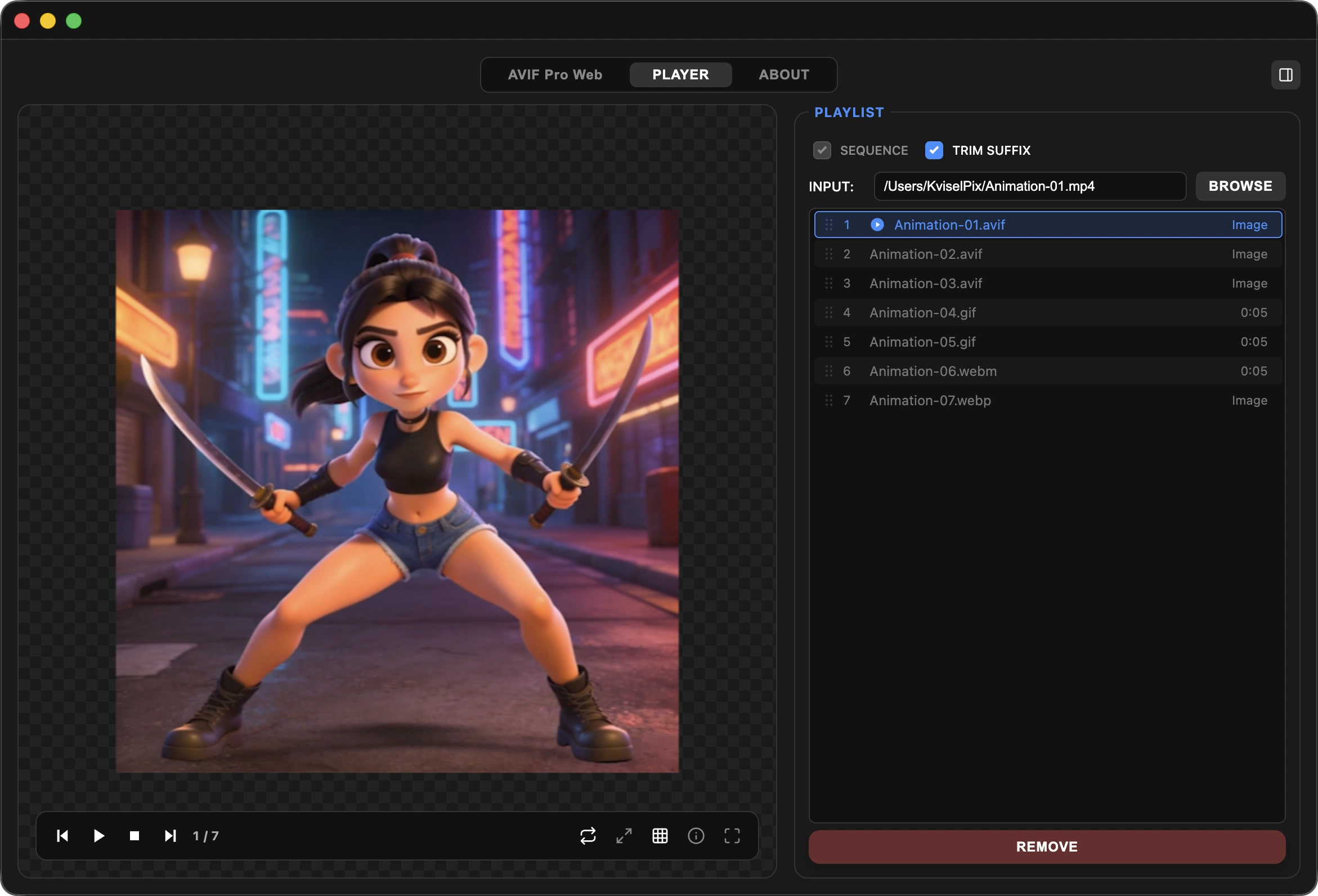
Built-in player interface
AVIF Pro Web player with transparency grid, playlist, and playback controls

Built for real delivery constraints

Tune quality, FPS, dimensions, aspect ratio, and codec-safe even-numbered sizing so exports stay predictable and avoid invalid-dimension render failures.

Built on proven encoders

AVIF Pro Web uses FFmpeg and Gifsicle as its encoding backend, wrapped in a focused interface for fast, repeatable web delivery.

Downloads

Choose your platform

Install the standalone app for Windows or macOS below. The After Effects CEP panel is available through aescripts.

This software uses FFmpeg under LGPL v2.1 or later and Gifsicle under GPL v2. View licenses and corresponding source information.

Release history

Product updates

Follow public releases and the continued development of AVIF Pro Web.

Version 1.0.1Initial public release

AVIF Pro Web 1.0.1

Version 1.0.1 is the first public release of AVIF Pro Web, bringing a complete export workflow to After Effects and the standalone desktop app for macOS and Windows.

  • Single and Queue modes for After Effects
  • Batch conversion in the standalone desktop app
  • AVIF, GIF, WebM and WebP export
  • Custom presets, alpha support and built-in preview tools
Next update

The next update is already in development and will introduce practical workflow improvements, useful new tools and refinements shaped by real production use. Full details will be published when the update is ready.

KviselPix Learn

Learn more about AVIF and other web formats

Explore how AVIF, GIF, WebM and WebP store still images and motion, compare their strengths, and choose the right format for modern web delivery.


FAQ

Questions answered

What versions of After Effects are supported?
The extension supports Adobe After Effects 2022 (version 22.0) and later. After installation, open it from Window > Extensions > AVIF Pro Web.
What operating systems does the standalone app support?
The desktop app supports 64-bit Windows 10 or later and macOS 10.15 or later on both Intel Macs and Apple silicon M-series Macs.
How do I install AVIF Pro Web?
Open the AVIF Pro Web page on the aescripts + aeplugins website and follow the download and installation instructions provided there for the After Effects panel or the standalone desktop app.
Is there a free trial?
Yes. Both the After Effects panel and the standalone desktop app let you render up to 30 files in trial mode. Activate your license to continue after the trial limit is reached.
Which output formats are supported?
AVIF Pro Web exports AVIF, GIF, WebM and WebP. AVIF includes 8-bit and 10-bit pixel formats and SDR/HDR color-space options; GIF includes palette, dithering and optional Gifsicle optimization controls; WebM supports VP9 or AV1; and WebP supports lossy and lossless output.
Can I keep transparency in my exports?
Yes. AVIF supports alpha output in 8-bit and 10-bit workflows. WebM alpha is available with the VP9 codec using the yuva420p pixel format. The desktop app also provides a mask input for a separate grayscale alpha source, and its player can preview transparency on a grid.
Can WebM include audio?
Yes. WebM can encode optional Opus or Vorbis audio at selectable bitrates from 64 to 320 kbps.
Can the desktop app process folders and image sequences?
Yes. You can drag in media files or entire folders. With the SEQUENCE option enabled, numbered images such as frame_001.png and frame_002.png are grouped into one sequence task. Queue items can be reordered, duplicated, cleared or selected together for shared settings.
Where are exported files saved?
The After Effects extension creates an avifproweb folder next to the active project by default. The desktop app creates an avifproweb folder relative to the source file. Both allow custom output directories, and the desktop app can trim sequence numbering from the final filename.
How do resizing and frame-rate controls work?
Auto sizing preserves the original dimensions. Entering only width or height calculates the other value proportionally, and even-number enforcement prevents codec-related dimension errors. The extension can inherit the composition frame rate with WITH COMP; the desktop app uses AUTO for the source frame rate, while image sequences default to 25 FPS.
Does the desktop app check for updates?
Yes. It checks for updates at startup by default, and this can be disabled in the ABOUT tab. When an update is available, the app displays a notification with a link to the latest installer.